Screenshot Contest Has Moved to the Website!
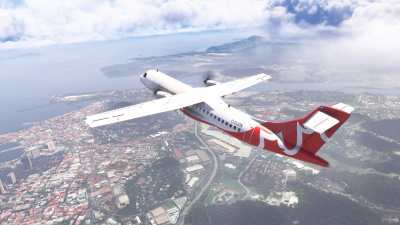
The monthly screenshot contest is no longer run through Discord — submitting and voting now both happen on the website, with a new theme picked every month!
How it works:
- A monthly theme set by staff
- Submit your own entry via the website or Discord
- Vote for your favourite, and change your vote any time before voting closes
- Browse entries and vote right from the upcoming CAVacars 2 app's home screen (coming later this year)
How to submit:
- Log in to the website and go to the Operations Centre menu, then Submit Screenshot
- Check the month's theme, then upload your screenshot (PNG/JPG, up to 12MB) with an optional description
- One entry per pilot per month — uploading again replaces your existing entry
How to vote:
- Go to the Operations Centre menu, then Screenshot Contest on the website (or the Screenshot Contest card in CAVacars 2)
- Browse the entries and pick your favourite
- You can change your vote as many times as you like until voting closes
Prefer Discord? You can still submit straight from the #screenshots channel:
- Use
/submit_screenshot, attach your image, and add an optional caption - Make sure your server nickname starts with your callsign (e.g.
CAN1234) so the bot can match you to your pilot profile - Voting is website/app only — the Discord command is for submitting your entry
Past winners are archived under Screenshot Contest Winners. Good luck! 🏆